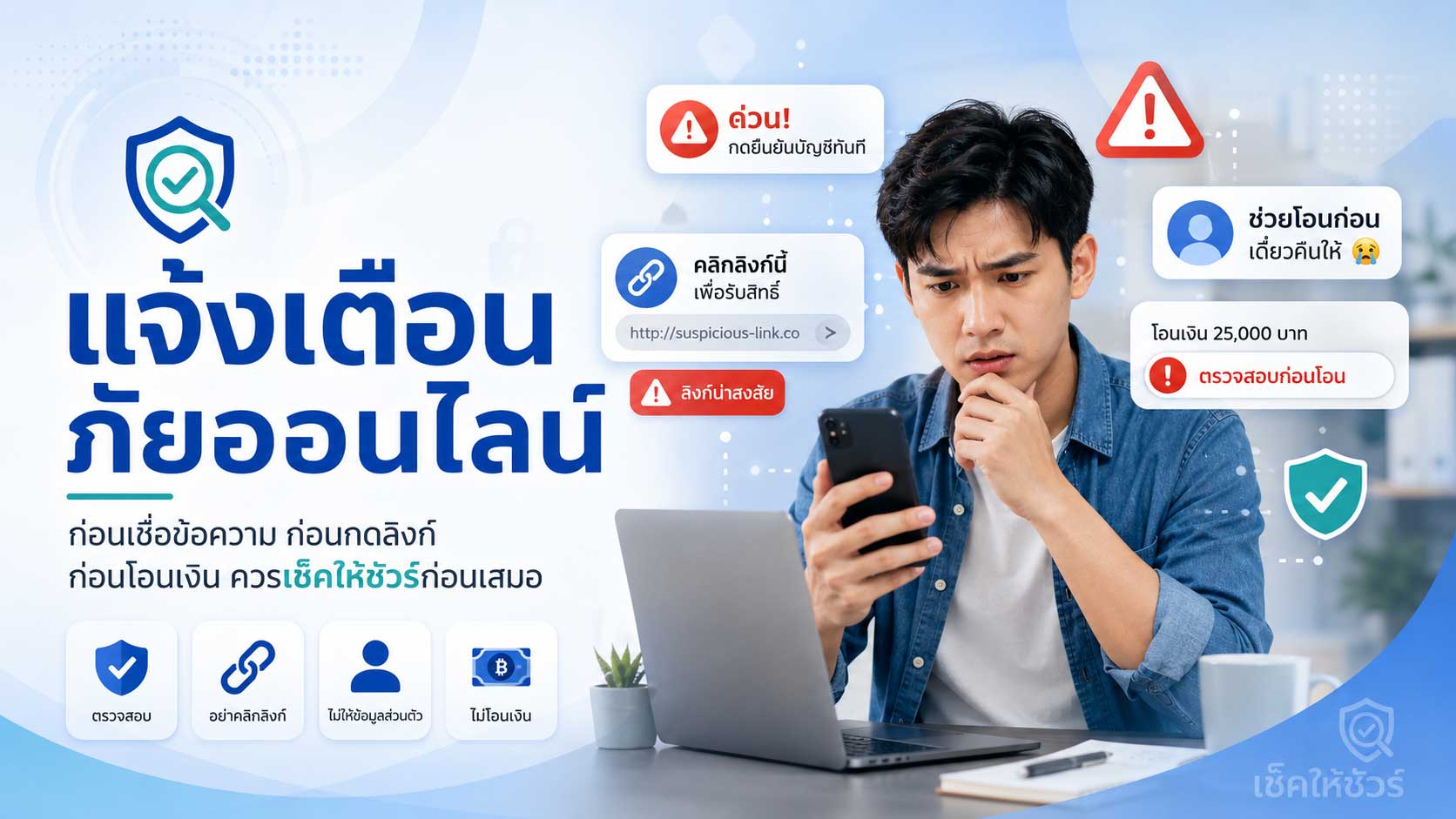
ภัยออนไลน์ในปัจจุบันเกิดขึ้นได้ใกล้ตัวกว่าที่หลายคนคิด บางครั้งไม่ได้มาในรูปแบบที่ดูอันตรายตั้งแต่แรก แต่อาจมาในรูปแบบของข้อความสั้น ๆ เบอร์โทรศัพท์ที่ดูเหมือนหน่วยงานจริง เพจขายสินค้าที่ดูน่าเชื่อถือ ลิงก์ที่ดูคล้ายเว็บไซต์ทางการ หรือข้อเสนอที่ทำให้รู้สึกว่าไม่ควรพลาด
หลายเหตุการณ์เริ่มต้นจากประโยคที่คุ้นตา เช่น “พัสดุตกค้าง”, “บัญชีมีปัญหา”, “ได้รับเงินคืน”, “สินค้าราคาพิเศษ”, “ลงทุนกำไรดี”, “สมัครงานออนไลน์รายได้สูง” หรือ “ต้องยืนยันตัวตนภายในวันนี้”
ข้อความเหล่านี้อาจดูธรรมดา แต่หากมีการเร่งให้กดลิงก์ โอนเงิน ให้รหัส OTP ติดตั้งแอป หรือส่งข้อมูลส่วนตัว อาจเป็นสัญญาณของภัยออนไลน์ที่ควรระวัง
เช็คให้ชัวร์ จัดทำบทความแจ้งเตือนนี้ขึ้นเพื่อช่วยให้ผู้ใช้งานสังเกตความเสี่ยงเบื้องต้น และมีเวลา “หยุดคิด” ก่อนตัดสินใจทำสิ่งที่อาจนำไปสู่ความเสียหาย
ทำไมภัยออนไลน์ถึงน่ากังวลมากขึ้น
ความสะดวกของเทคโนโลยีทำให้เราสามารถโอนเงิน ซื้อสินค้า ติดต่อกัน สมัครบริการ และรับข้อมูลต่าง ๆ ได้รวดเร็วขึ้น แต่ความรวดเร็วนี้ก็เป็นช่องทางที่มิจฉาชีพใช้สร้างความเสียหายได้เช่นกัน
ในอดีต การหลอกลวงอาจต้องใช้เวลานานหรือพบตัวกันโดยตรง แต่ในปัจจุบัน เพียงมีเบอร์โทรศัพท์ บัญชีโซเชียล ลิงก์เว็บไซต์ หรือข้อความแชท มิจฉาชีพก็สามารถเข้าถึงผู้คนจำนวนมากได้ในเวลาอันสั้น
สิ่งที่ทำให้ภัยออนไลน์อันตรายมากขึ้น คือมิจฉาชีพมักผสมผสานหลายวิธีเข้าด้วยกัน เช่น
- ใช้ข้อความที่ดูเหมือนมาจากหน่วยงานจริง
- ใช้โลโก้หรือชื่อองค์กรที่ประชาชนคุ้นเคย
- สร้างเพจหรือเว็บไซต์ให้ดูน่าเชื่อถือ
- ใช้ราคาหรือผลตอบแทนที่ดึงดูดใจ
- โทรมาสร้างความกลัวหรือความเร่งด่วน
- ส่งลิงก์ให้กรอกข้อมูล
- ขอให้ติดตั้งแอปเพื่อควบคุมหรือเข้าถึงข้อมูล
- ใช้บัญชีรับเงินที่เปลี่ยนไปเรื่อย ๆ
ดังนั้น การรู้ทันภัยออนไลน์จึงไม่ใช่เรื่องเฉพาะของคนที่ใช้เทคโนโลยีเก่งเท่านั้น แต่เป็นทักษะพื้นฐานที่ทุกคนควรมี
รูปแบบภัยออนไลน์ที่ควรระวังในชีวิตประจำวัน
ภัยออนไลน์สามารถปรากฏได้หลายรูปแบบ และอาจเปลี่ยนวิธีไปตามสถานการณ์ แต่มีบางรูปแบบที่พบได้บ่อยและควรระวังเป็นพิเศษ
1. SMS หรือลิงก์ปลอม
ข้อความลักษณะนี้มักอ้างว่าเป็นธนาคาร บริษัทขนส่ง หน่วยงานรัฐ แพลตฟอร์มช้อปปิ้ง หรือบริการที่คนทั่วไปใช้งานเป็นประจำ
ตัวอย่างข้อความที่ควรระวัง:
- “พัสดุของท่านจัดส่งไม่สำเร็จ กรุณากดลิงก์”
- “บัญชีของท่านถูกระงับ กรุณายืนยันข้อมูล”
- “ท่านได้รับเงินคืน กรุณากรอกข้อมูล”
- “คะแนนสะสมของท่านใกล้หมดอายุ”
- “พบรายการผิดปกติในบัญชี”
- “กรุณาอัปเดตข้อมูลเพื่อใช้งานต่อ”
สัญญาณอันตรายคือข้อความที่เร่งให้กดลิงก์ทันที ขอข้อมูลส่วนตัว ขอข้อมูลบัญชี ขอรหัสผ่าน หรือขอรหัส OTP
หากไม่มั่นใจ ควรเปิดแอปหรือเว็บไซต์ทางการด้วยตนเองแทนการกดลิงก์จากข้อความ
2. เพจปลอมและร้านค้าออนไลน์ต้องสงสัย
มิจฉาชีพอาจสร้างเพจหรือร้านค้าออนไลน์ให้ดูเหมือนร้านจริง ใช้รูปสินค้าสวย รีวิวจำนวนมาก หรือราคาที่ถูกกว่าปกติมาก เพื่อหลอกให้โอนเงินก่อนแล้วไม่ส่งสินค้า
สิ่งที่ควรระวัง:
- ราคาถูกกว่าตลาดมากผิดปกติ
- เพจเพิ่งสร้างใหม่หรือเคยเปลี่ยนชื่อบ่อย
- รีวิวดูซ้ำ ๆ หรือไม่เป็นธรรมชาติ
- ผู้ขายเร่งให้โอนเงินทันที
- ไม่ยอมให้ใช้ช่องทางชำระเงินที่คุ้มครองผู้ซื้อ
- ชื่อบัญชีรับเงินไม่ตรงกับชื่อร้าน
- หลังโอนเงินแล้วติดต่อไม่ได้หรือถูกบล็อก
ก่อนซื้อสินค้า ควรค้นหาชื่อร้าน ชื่อเพจ เลขบัญชี เบอร์โทร และรีวิวจากหลายแหล่ง ไม่ควรตัดสินใจจากรูปสินค้าและราคาถูกเพียงอย่างเดียว
3. โทรศัพท์แอบอ้างเป็นเจ้าหน้าที่
ภัยประเภทนี้มักใช้ความกลัวเป็นเครื่องมือ โดยอ้างว่าเกี่ยวข้องกับคดี พัสดุผิดกฎหมาย บัญชีธนาคารผิดปกติ หรือข้อมูลส่วนตัวถูกนำไปใช้ในทางผิด
ตัวอย่างคำกล่าวอ้างที่พบบ่อย:
- บัญชีของท่านเกี่ยวข้องกับคดีฟอกเงิน
- มีพัสดุผิดกฎหมายส่งในชื่อของท่าน
- มีหมายจับหรือหมายศาล
- เงินในบัญชีของท่านไม่ปลอดภัย
- ต้องโอนเงินไปยังบัญชีตรวจสอบ
- ต้องเปิดกล้องหรือส่งเอกสารเพื่อยืนยันตัวตน
- ห้ามวางสายและห้ามบอกใคร
หากมีใครอ้างเป็นเจ้าหน้าที่และขอให้โอนเงิน ให้รหัส OTP หรือทำตามคำสั่งโดยห้ามตรวจสอบกับผู้อื่น ควรวางสายและติดต่อหน่วยงานจริงผ่านช่องทางทางการทันที
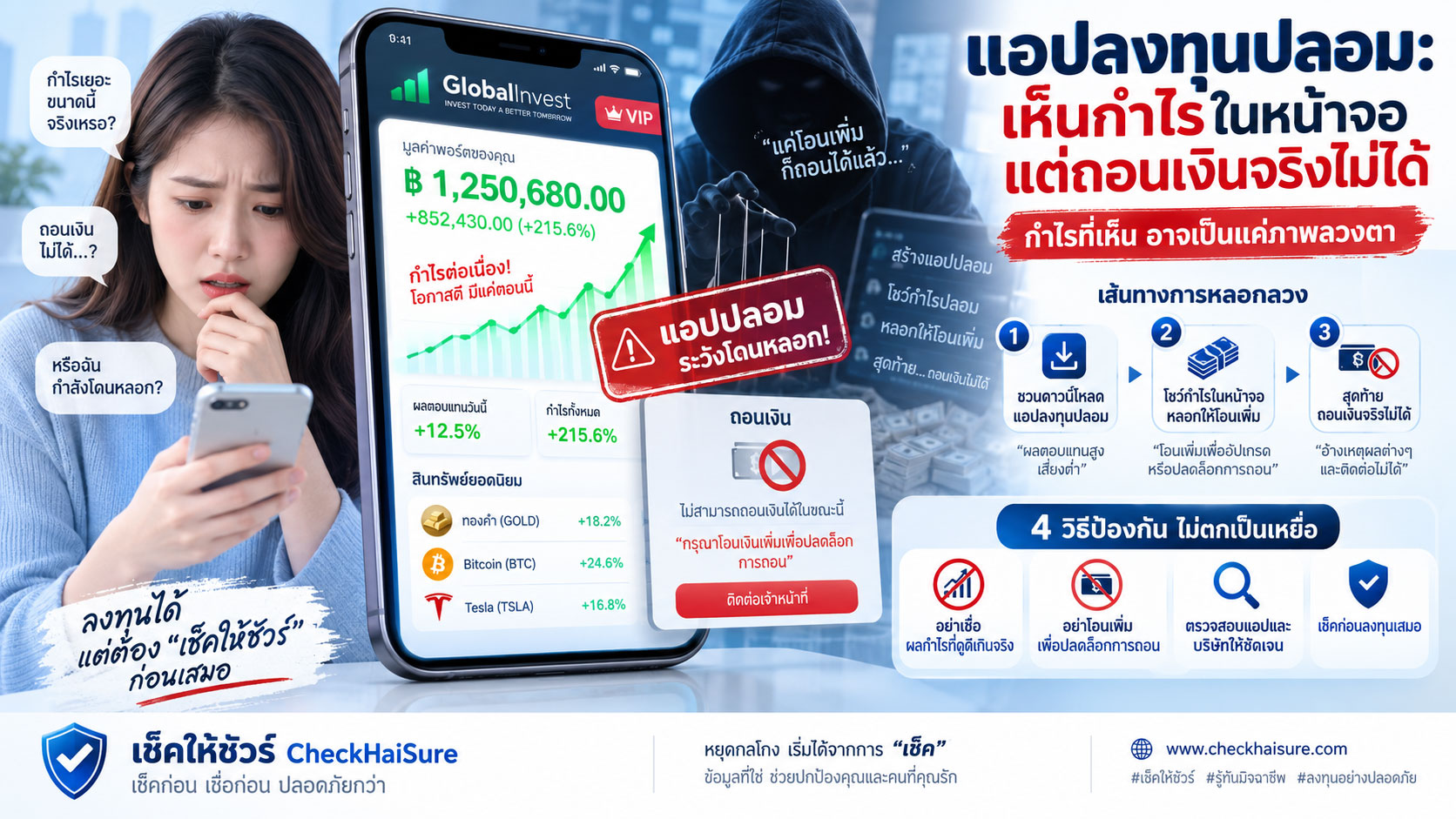
4. หลอกลงทุนหรือรายได้ออนไลน์เกินจริง
มิจฉาชีพอาจใช้คำโฆษณาที่ดูน่าสนใจ เช่น ลงทุนน้อย ได้กำไรสูง ถอนเงินได้ทุกวัน มีผู้เชี่ยวชาญดูแล หรือทำงานง่าย ๆ จากที่บ้านแล้วได้เงินดี
ตัวอย่างที่ควรระวัง:
- รับประกันกำไรแน่นอน
- ลงทุนเล็กน้อยแล้วได้ผลตอบแทนสูงผิดปกติ
- ให้เข้ากลุ่ม Line หรือ Telegram เพื่อดูผลกำไร
- ให้โอนเงินเพิ่มเพื่อปลดล็อกการถอน
- อ้างว่าต้องจ่ายภาษีหรือค่าธรรมเนียมก่อนถอนเงิน
- งานออนไลน์ที่ต้องจ่ายค่าสมัครหรือเติมเงินก่อนทำงาน
หากมีการรับประกันผลตอบแทนสูงโดยไม่มีความเสี่ยง หรือมีการให้โอนเงินเพิ่มเรื่อย ๆ เพื่อถอนเงิน ควรระวังอย่างมาก
5. หลอกให้ติดตั้งแอปหรือควบคุมโทรศัพท์
ภัยรูปแบบนี้มีความเสี่ยงสูง เพราะหากติดตั้งแอปต้องสงสัย มิจฉาชีพอาจเข้าถึงหน้าจอ ข้อความ รหัสยืนยัน หรือข้อมูลสำคัญในโทรศัพท์ได้
สิ่งที่ควรระวัง:
- มีคนส่งลิงก์ให้ติดตั้งแอปนอก App Store หรือ Google Play
- อ้างว่าเป็นแอปของธนาคาร หน่วยงานรัฐ หรือฝ่ายช่วยเหลือ
- ขอสิทธิ์เข้าถึงข้อความ หน้าจอ หรือ Accessibility
- ขอให้แชร์หน้าจอระหว่างสนทนา
- ห้ามวางสายระหว่างทำตามขั้นตอน
- โทรศัพท์เริ่มทำงานผิดปกติหลังติดตั้งแอป
หากไม่มั่นใจ อย่าติดตั้งแอปจากลิงก์ที่ผู้อื่นส่งมา และควรใช้เฉพาะแอปจากช่องทางทางการเท่านั้น
สัญญาณเตือนที่ควรหยุดทันที
แม้ภัยออนไลน์จะมีหลายรูปแบบ แต่สัญญาณเตือนหลายอย่างมักคล้ายกัน หากพบข้อใดข้อหนึ่ง ควรหยุดและตรวจสอบก่อน
- เร่งให้โอนเงินทันที
- ขอรหัส OTP รหัสผ่าน หรือ PIN
- ส่งลิงก์ให้กรอกข้อมูลส่วนตัว
- ขอให้ติดตั้งแอปจากลิงก์ภายนอก
- อ้างเป็นเจ้าหน้าที่และห้ามวางสาย
- ห้ามบอกคนในครอบครัว
- ราคาถูกผิดปกติหรือผลตอบแทนสูงเกินจริง
- ขอให้โอนเงินเข้าบัญชีบุคคลที่ไม่เกี่ยวข้อง
- ชื่อบัญชีไม่ตรงกับร้านหรือองค์กรที่อ้าง
- มีการเปลี่ยนบัญชีรับเงินกะทันหัน
- ไม่ยอมให้ตรวจสอบเพิ่มเติม
- คำอธิบายเปลี่ยนไปมาเมื่อถามรายละเอียด
หากยังไม่มั่นใจ ควรหยุดก่อน เพราะการหยุดตรวจสอบไม่กี่นาทีอาจช่วยป้องกันความเสียหายได้มาก
ก่อนกดลิงก์หรือโอนเงิน ควรเช็คอะไรบ้าง
ก่อนตัดสินใจทำสิ่งที่มีความเสี่ยง เช่น โอนเงิน กดลิงก์ ดาวน์โหลดแอป หรือให้ข้อมูลส่วนตัว ควรตรวจสอบข้อมูลสำคัญให้มากที่สุดเท่าที่ทำได้
สิ่งที่ควรเช็ค ได้แก่:
- เบอร์โทรศัพท์ของผู้ติดต่อ
- เลขบัญชีและชื่อบัญชีรับเงิน
- ชื่อร้านค้า ชื่อเพจ หรือชื่อบัญชีโซเชียล
- ลิงก์เว็บไซต์หรือ URL
- ประวัติการเปลี่ยนชื่อเพจ
- รีวิวจากแหล่งที่น่าเชื่อถือ
- ข้อมูลบริษัทหรือร้านค้าที่ตรวจสอบได้
- ข้อความที่ได้รับว่ามีลักษณะเร่งรัดหรือข่มขู่หรือไม่
- โดเมนเว็บไซต์เป็นของจริงหรือไม่
- มีข่าวหรือรายงานเตือนภัยที่เกี่ยวข้องหรือไม่
ท่านสามารถใช้ เช็คให้ชัวร์ เป็นหนึ่งในเครื่องมือช่วยตรวจสอบเบื้องต้น โดยค้นหาข้อมูลต้องสงสัย เช่น เบอร์โทร เลขบัญชี ชื่อร้าน ลิงก์ เพจ หรือข้อความที่ได้รับ
ตรวจสอบข้อมูลต้องสงสัย: ตรวจสอบข้อมูลต้องสงสัย
หากพบสิ่งน่าสงสัยควรทำอย่างไร
หากพบข้อความ เบอร์โทร ลิงก์ เพจ หรือพฤติกรรมที่น่าสงสัย ควรดำเนินการอย่างระมัดระวัง
- อย่าเพิ่งโอนเงิน
- อย่าให้รหัส OTP หรือรหัสผ่าน
- อย่ากดลิงก์ที่ไม่มั่นใจ
- อย่าติดตั้งแอปจากลิงก์ที่ผู้อื่นส่งมา
- เก็บหลักฐานไว้ก่อน เช่น แชท ลิงก์ เบอร์โทร เลขบัญชี และภาพหน้าจอ
- ตรวจสอบจากแหล่งทางการ
- ปรึกษาคนที่ไว้ใจ
- หากมีความเสียหาย ให้ติดต่อธนาคารและหน่วยงานที่เกี่ยวข้องโดยเร็ว
- แจ้งข้อมูลต้องสงสัยเข้ามายังเช็คให้ชัวร์ หากเห็นว่าอาจเป็นประโยชน์ต่อผู้อื่น
แจ้งข้อมูลต้องสงสัย: แจ้งข้อมูลต้องสงสัย
หากโอนไปแล้วหรือกดลิงก์ไปแล้ว
หากท่านโอนเงินไปแล้ว กดลิงก์ปลอม ให้ข้อมูลส่วนตัว หรือติดตั้งแอปต้องสงสัย ควรรีบดำเนินการเพื่อลดความเสียหาย
- หยุดโอนเงินเพิ่มทันที
- เก็บหลักฐานทั้งหมด
- ติดต่อธนาคารของท่านผ่านช่องทางทางการ
- แจ้งความหรือแจ้งเหตุผ่านช่องทางของหน่วยงานที่เกี่ยวข้อง
- เปลี่ยนรหัสผ่านบัญชีสำคัญ หากเคยให้ข้อมูลหรือกดลิงก์
- ตรวจสอบโทรศัพท์ หากเคยติดตั้งแอปต้องสงสัย
- แจ้งข้อมูลเข้ามายังเช็คให้ชัวร์เพื่อช่วยเตือนผู้อื่น
โดนโกงแล้วควรทำอย่างไร: โดนโกงแล้วควรทำอย่างไร
ช่องทางหน่วยงานที่เกี่ยวข้อง: ช่องทางหน่วยงานที่เกี่ยวข้อง
การแจ้งเตือนภัยที่ดีเริ่มจากข้อมูลที่รับผิดชอบ
เช็คให้ชัวร์สนับสนุนให้ประชาชนช่วยกันส่งต่อข้อมูลที่เป็นประโยชน์ แต่การแจ้งข้อมูลควรทำด้วยความสุจริต รอบคอบ และมีหลักฐานเท่าที่เหมาะสม
ก่อนส่งต่อหรือแจ้งข้อมูล ควรหลีกเลี่ยง:
- การกล่าวหาบุคคลหรือร้านค้าโดยไม่มีหลักฐาน
- การเผยแพร่ข้อมูลส่วนตัวเกินความจำเป็น
- การใช้ถ้อยคำรุนแรง หมิ่นประมาท หรือทำให้เกิดความเสียหายเกินกว่าเหตุ
- การส่งข้อมูลที่ยังไม่แน่ใจโดยไม่มีรายละเอียดประกอบ
- การใช้แพลตฟอร์มเพื่อกลั่นแกล้งผู้อื่น
ข้อมูลที่แจ้งด้วยความสุจริตและรับผิดชอบ อาจช่วยให้คนอื่นระมัดระวังได้มากขึ้น ขณะเดียวกันก็ช่วยให้แพลตฟอร์มยังคงเป็นพื้นที่ที่เป็นธรรมต่อทุกฝ่าย
ช่วยกันสร้างภูมิคุ้มกันทางความรู้ให้สังคมไทย
ภัยออนไลน์อาจเปลี่ยนรูปแบบไปเรื่อย ๆ แต่หลักการป้องกันพื้นฐานยังคงสำคัญเสมอ คือ ไม่รีบเชื่อ ไม่รีบโอน ไม่กดลิงก์ทันที ไม่ให้รหัสลับกับใคร และตรวจสอบก่อนตัดสินใจ
หากเราหนึ่งคนรู้ทันมากขึ้น ความเสี่ยงของเราก็ลดลง และหากเราส่งต่อความรู้นั้นให้คนในครอบครัว เพื่อนร่วมงาน ลูกหลาน หรือผู้สูงอายุรอบตัว ความปลอดภัยก็จะขยายออกไปในวงกว้างขึ้น
เช็คให้ชัวร์หวังว่าโพสต์แจ้งเตือนนี้จะเป็นจุดเริ่มต้นเล็ก ๆ ที่ช่วยให้ทุกคนหยุดคิดก่อนเชื่อ ตรวจสอบก่อนโอน และระมัดระวังก่อนแชร์
ข้อความสำคัญ
ข้อมูลในบทความนี้มีวัตถุประสงค์เพื่อการแจ้งเตือน ให้ความรู้ และช่วยให้ผู้ใช้งานตรวจสอบข้อมูลต้องสงสัยเบื้องต้นเท่านั้น ไม่ถือเป็นคำแนะนำทางกฎหมาย การเงิน หรือความปลอดภัยไซเบอร์เฉพาะกรณี
เช็คให้ชัวร์ไม่ใช่หน่วยงานรัฐ ธนาคาร ตำรวจ ศาล หรือผู้ให้คำปรึกษาทางกฎหมายโดยตรง และไม่สามารถอายัดบัญชี ติดตามเงินคืน ดำเนินคดี หรือสั่งการแทนหน่วยงานที่มีอำนาจได้
หากท่านได้รับความเสียหายทางการเงินหรือพบเหตุอันควรสงสัยว่าเกี่ยวข้องกับอาชญากรรม กรุณาติดต่อธนาคารของท่านและหน่วยงานที่เกี่ยวข้องผ่านช่องทางทางการโดยเร็วที่สุด
เช็คให้ชัวร์ — ก่อนเชื่อ ก่อนโอน ก่อนแชร์
Online Scam Alert: Check Before You Trust a Message, Click a Link, or Transfer Money
Online threats are now closer to everyday life than many people realize. They do not always appear dangerous at first. They may arrive as a short message, a phone number that looks like it belongs to a real organization, a product page that appears trustworthy, a link that looks similar to an official website, or an offer that feels too good to miss.
Many incidents begin with familiar phrases such as “parcel pending,” “account problem,” “refund available,” “special price,” “high-return investment,” “online job with good income,” or “identity verification required today.”
These messages may look ordinary. But if they pressure you to click a link, transfer money, share an OTP, install an app, or send personal information, they may be warning signs of an online threat.
CheckHaiSure created this alert article to help users recognize early risks and take a moment to pause before making a decision that could lead to damage.
Why Online Threats Are Becoming More Concerning
Technology allows us to transfer money, buy products, communicate, register for services, and receive information faster than ever. However, this speed also gives scammers more opportunities to cause harm.
In the past, scams often took more time or required face-to-face interaction. Today, with only a phone number, social media account, website link, or chat message, scammers can reach large numbers of people within a short time.
What makes online threats more dangerous is that scammers often combine several techniques, such as:
- Using messages that appear to come from real organizations
- Using logos or names of familiar institutions
- Creating pages or websites that look trustworthy
- Offering attractive prices or returns
- Calling to create fear or urgency
- Sending links to collect information
- Asking users to install apps that may access or control devices
- Changing receiving bank accounts repeatedly
For this reason, online scam awareness is not only for people who are highly technical. It is a basic digital life skill that everyone should have.
Common Online Threats to Watch For in Daily Life
Online threats can appear in many forms and may change over time. However, some patterns are common and should be treated with extra caution.
1. Fake SMS Messages and Suspicious Links
These messages often pretend to come from banks, delivery companies, government agencies, shopping platforms, or services people commonly use.
Examples of messages to be careful with include:
- “Your parcel could not be delivered. Please click this link.”
- “Your account has been suspended. Please verify your information.”
- “You are eligible for a refund. Please submit your details.”
- “Your reward points are about to expire.”
- “Unusual activity was detected in your account.”
- “Please update your information to continue using the service.”
A major warning sign is when a message pressures you to click a link immediately, enter personal information, provide bank details, share a password, or reveal an OTP.
If you are unsure, open the official app or website yourself instead of clicking a link from the message.
2. Fake Pages and Suspicious Online Shops
Scammers may create online shops or pages that look real. They may use attractive product photos, many reviews, or unusually low prices to convince buyers to transfer money before disappearing.
Things to watch for include:
- Prices far below normal market value
- Pages that are newly created or have changed names many times
- Reviews that look repetitive or unnatural
- Sellers pressuring you to transfer money immediately
- Refusal to use buyer-protection payment methods
- Receiving account name does not match the shop name
- Seller becomes unreachable or blocks you after payment
Before buying, search the shop name, page name, bank account number, phone number, and reviews from multiple sources. Do not rely only on product photos or a low price.
3. Phone Calls Impersonating Officials
This type of scam often uses fear. The caller may claim that you are connected to a legal case, illegal parcel, suspicious bank account activity, or misuse of personal information.
Common claims include:
- Your bank account is connected to money laundering.
- An illegal parcel was sent under your name.
- There is an arrest warrant or court order.
- Your money is not safe.
- You must transfer money to a verification account.
- You must turn on your camera or send documents to verify your identity.
- You must not hang up or tell anyone.
If someone claims to be an official and asks you to transfer money, share an OTP, or follow instructions without checking with others, hang up and contact the real organization through official channels.
4. Fake Investment or Unrealistic Online Income Offers
Scammers may use attractive claims such as small investment, high profit, daily withdrawals, expert guidance, or easy work-from-home income.
Examples to be careful with include:
- Guaranteed profit
- Small investment with unusually high returns
- Invitation to join LINE or Telegram groups showing profit screenshots
- Requests to transfer more money to unlock withdrawal
- Claims that tax or fees must be paid before withdrawing
- Online jobs that require registration fees or top-up payments before working
If an offer guarantees high returns with no risk, or asks you to transfer more money repeatedly before withdrawing, be extremely careful.
5. Fake App Installation or Phone Control Scams
This type of threat is highly dangerous because once a suspicious app is installed, scammers may be able to access your screen, messages, verification codes, or important information on your phone.
Things to watch for include:
- Someone sends a link to install an app outside the App Store or Google Play
- The app is claimed to be from a bank, government agency, or support team
- The app requests access to messages, screen control, or Accessibility settings
- You are asked to share your screen during a conversation
- You are told not to hang up while following instructions
- Your phone behaves unusually after installing the app
If you are unsure, do not install apps from links sent by others. Use only official app stores and verified official channels.
Warning Signs That Should Make You Stop Immediately
Although online threats come in many forms, many warning signs are similar. If you notice any of the following, stop and check before continuing:
- You are pressured to transfer money immediately
- You are asked for an OTP, password, or PIN
- You receive a link asking for personal information
- You are asked to install an app from an external link
- Someone claims to be an official and tells you not to hang up
- You are told not to tell your family
- The price is unusually cheap or the return is unrealistically high
- You are asked to transfer money to an unrelated personal account
- The account name does not match the claimed shop or organization
- The receiving bank account changes suddenly
- The other party refuses further verification
- Their explanation changes when you ask for details
If you are not sure, pause first. A few minutes of checking may help prevent serious damage.
What to Check Before Clicking a Link or Transferring Money
Before taking a risky action such as transferring money, clicking a link, downloading an app, or sharing personal information, check as much information as possible.
Things to check include:
- Phone number of the person contacting you
- Bank account number and account name
- Shop name, page name, or social media account
- Website link or URL
- Page name-change history
- Reviews from trustworthy sources
- Verifiable company or shop information
- Whether the message uses pressure or threats
- Whether the website domain is official
- Whether there are related alerts or reports
You can use CheckHaiSure as one of your preliminary checking tools by searching for suspicious information such as phone numbers, bank account numbers, shop names, links, pages, or messages you received.
Check suspicious information: Check suspicious information
What to Do If You Find Something Suspicious
If you find a suspicious message, phone number, link, page, or behavior, proceed carefully.
- Do not transfer money yet.
- Do not share OTPs or passwords.
- Do not click links you are unsure about.
- Do not install apps from links sent by others.
- Keep evidence such as chats, links, phone numbers, bank account numbers, and screenshots.
- Verify with official sources.
- Ask someone you trust.
- If damage has occurred, contact your bank and the relevant authorities as soon as possible.
- Submit suspicious information to CheckHaiSure if it may help others.
Report suspicious information: Report suspicious information
If You Already Transferred Money or Clicked a Link
If you have already transferred money, clicked a fake link, shared personal information, or installed a suspicious app, act quickly to reduce further damage.
- Stop transferring more money immediately.
- Keep all evidence.
- Contact your bank through official channels.
- Report the incident through relevant official channels.
- Change important passwords if you shared information or clicked a suspicious link.
- Check your phone if you installed a suspicious app.
- Submit the information to CheckHaiSure to help warn others.
What to do if scammed: What to do if scammed
Official resources and support channels: Official resources and support channels
Responsible Alerts Start with Responsible Information
CheckHaiSure encourages the public to share useful warning information. However, reporting or sharing information should be done in good faith, carefully, and with appropriate supporting details.
Before submitting or sharing information, please avoid:
- Accusing a person or shop without evidence
- Publishing more personal information than necessary
- Using aggressive, defamatory, or harmful language
- Submitting unclear information without supporting details
- Using the platform to harass others
Information submitted responsibly and in good faith can help others become more cautious while keeping the platform fair to all parties involved.
Helping Thai Society Build Knowledge-Based Immunity
Online threats may continue to change, but the basic principles of protection remain important: do not trust too quickly, do not transfer money too quickly, do not click links immediately, do not share secret codes, and always check before deciding.
When one person becomes more aware, that person’s risk becomes lower. When that knowledge is shared with family members, colleagues, children, or elderly people nearby, safety can spread further.
CheckHaiSure hopes this alert article becomes a small starting point that helps everyone pause before trusting, check before transferring, and stay cautious before sharing.
Important Notice
The information in this article is intended for awareness, education, and preliminary checking of suspicious information only. It is not legal, financial, or case-specific cybersecurity advice.
CheckHaiSure is not a government agency, bank, police authority, court, or direct legal advisory service. We cannot freeze accounts, recover money, conduct legal proceedings, or act on behalf of authorized agencies.
If you have suffered financial loss or suspect criminal activity, please contact your bank and the relevant official authorities through official channels as soon as possible.
CheckHaiSure — Check before you trust, transfer, or share.

Leave a Reply
You must be logged in to post a comment.