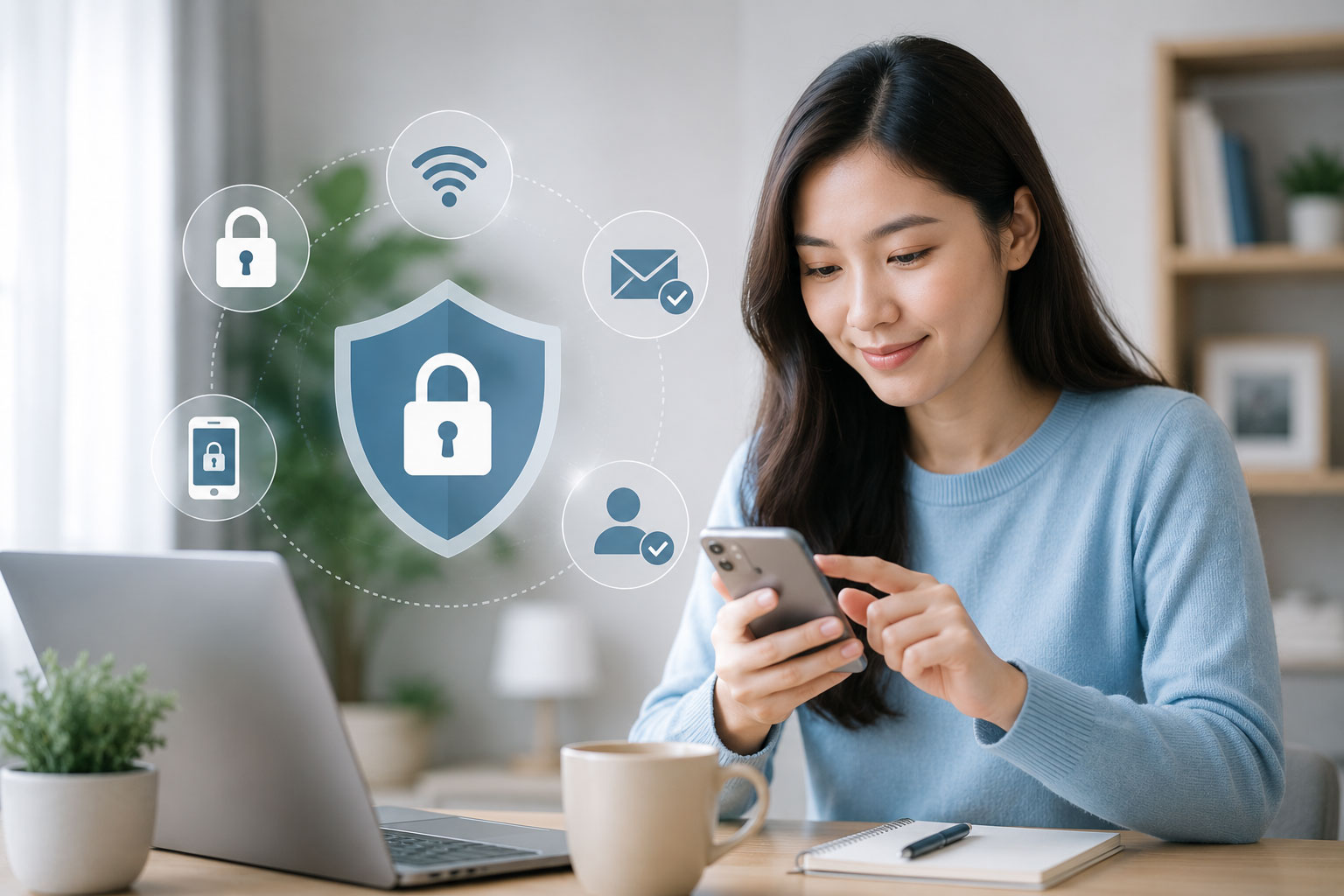
ในวันที่การใช้ชีวิตของเราผูกอยู่กับโทรศัพท์มือถือ แอปธนาคาร โซเชียลมีเดีย อีเมล บริการฟินเทค และแพลตฟอร์มออนไลน์ต่าง ๆ มากขึ้น ความปลอดภัยดิจิทัลจึงไม่ใช่เรื่องไกลตัวอีกต่อไป
หลายคนอาจคิดว่า “ภัยออนไลน์” จะเกิดขึ้นเฉพาะกับคนที่ไม่ระวัง หรือคนที่ไม่คุ้นเคยกับเทคโนโลยี แต่ในความเป็นจริง มิจฉาชีพในยุคดิจิทัลสามารถออกแบบวิธีหลอกลวงให้ดูแนบเนียน เร่งด่วน และน่าเชื่อถือมากขึ้นเรื่อย ๆ
บางครั้งความเสียหายไม่ได้เริ่มจากการตัดสินใจใหญ่โต แต่อาจเริ่มจากพฤติกรรมเล็ก ๆ เช่น กดลิงก์จาก SMS ที่ดูเหมือนมาจากธนาคาร ให้รหัส OTP กับคนที่อ้างว่าเป็นเจ้าหน้าที่ ใช้รหัสผ่านซ้ำหลายบัญชี หรือดาวน์โหลดแอปจากลิงก์ที่ไม่รู้จัก
เช็คให้ชัวร์ จึงอยากชวนทุกคนเริ่มต้นสร้างความปลอดภัยดิจิทัลจากพฤติกรรมพื้นฐานในชีวิตประจำวัน เพราะการป้องกันที่ดี ไม่จำเป็นต้องซับซ้อนเสมอไป แต่ต้องทำอย่างสม่ำเสมอและมีสติ
ความปลอดภัยดิจิทัลคืออะไร
ความปลอดภัยดิจิทัล คือการป้องกันตนเอง ข้อมูลส่วนตัว บัญชีออนไลน์ อุปกรณ์ และทรัพย์สินทางการเงินจากความเสี่ยงที่เกิดขึ้นบนโลกดิจิทัล
ความเสี่ยงเหล่านี้อาจมาในหลายรูปแบบ เช่น
- การหลอกให้โอนเงิน
- การขโมยรหัสผ่าน
- การหลอกให้กรอกข้อมูลในเว็บไซต์ปลอม
- การส่งลิงก์ฟิชชิงผ่าน SMS หรือแชท
- การแอบอ้างเป็นธนาคาร หน่วยงานรัฐ หรือบริษัทที่น่าเชื่อถือ
- การหลอกให้ติดตั้งแอปที่ควบคุมเครื่องได้
- การขโมยบัญชีโซเชียลมีเดีย
- การนำข้อมูลส่วนตัวไปแอบอ้าง
- การหลอกลงทุนหรือชักชวนให้ทำธุรกรรมที่เสี่ยง
เป้าหมายของความปลอดภัยดิจิทัลจึงไม่ใช่การทำให้เรากลัวเทคโนโลยี แต่คือการทำให้เราใช้เทคโนโลยีได้อย่างมั่นใจ รอบคอบ และรู้ทันความเสี่ยงมากขึ้น
ทำไมเรื่องนี้จึงสำคัญกับทุกคน
ทุกวันนี้คนไทยจำนวนมากใช้โทรศัพท์มือถือเป็นศูนย์กลางของชีวิตดิจิทัล ไม่ว่าจะเป็นการโอนเงิน รับเงิน ซื้อสินค้า จ่ายบิล ติดต่อครอบครัว ทำงาน เรียนออนไลน์ หรือสมัครบริการต่าง ๆ
นั่นหมายความว่า หากบัญชีออนไลน์หรือโทรศัพท์มือถือของเราถูกเข้าถึงโดยผู้ไม่หวังดี ความเสียหายอาจเกิดขึ้นได้หลายด้านพร้อมกัน ทั้งเงิน ข้อมูลส่วนตัว ความน่าเชื่อถือ และความปลอดภัยของคนรอบตัว
ตัวอย่างเช่น หากบัญชี LINE หรือ Facebook ถูกยึด มิจฉาชีพอาจนำบัญชีของเราไปหลอกยืมเงินคนรู้จัก หากโทรศัพท์ถูกติดตั้งแอปต้องสงสัย ข้อมูลการใช้งานหรือการทำธุรกรรมอาจมีความเสี่ยง หากเราเผลอให้รหัส OTP เงินในบัญชีอาจถูกโอนออกโดยไม่ทันตั้งตัว
ความปลอดภัยดิจิทัลจึงไม่ใช่เรื่องของผู้เชี่ยวชาญเท่านั้น แต่เป็นทักษะพื้นฐานที่ทุกคนควรมี
พฤติกรรมเล็ก ๆ ที่ช่วยให้ปลอดภัยขึ้น
การป้องกันภัยออนไลน์เริ่มต้นได้จากการปรับพฤติกรรมที่เราทำเป็นประจำ โดยไม่จำเป็นต้องใช้เครื่องมือซับซ้อนเสมอไป
1. อย่ากดลิงก์ทันทีเมื่อได้รับข้อความ
ลิงก์ปลอมเป็นหนึ่งในวิธีที่มิจฉาชีพใช้บ่อย เพราะสามารถส่งผ่าน SMS, LINE, Facebook Messenger, อีเมล หรือแชทต่าง ๆ ได้ง่าย
ข้อความเหล่านี้มักทำให้เรารู้สึกต้องรีบดำเนินการ เช่น บัญชีถูกระงับ พัสดุมีปัญหา ได้รับเงินคืน คะแนนสะสมใกล้หมดอายุ หรือมีรายการผิดปกติในบัญชี
ก่อนกดลิงก์ ควรถามตัวเองก่อนว่า:
- ข้อความนี้มาจากช่องทางทางการจริงหรือไม่
- ลิงก์สะกดถูกต้องหรือไม่
- ทำไมต้องรีบกดทันที
- มีการขอข้อมูลส่วนตัว รหัสผ่าน หรือ OTP หรือไม่
- เราสามารถเปิดแอปหรือเว็บไซต์ทางการเองแทนได้หรือไม่
วิธีที่ปลอดภัยกว่าคือ เปิดแอปหรือเว็บไซต์ทางการด้วยตนเอง ไม่กดจากลิงก์ที่ผู้อื่นส่งมาให้โดยตรง
2. อย่าให้รหัส OTP กับใคร
รหัส OTP เป็นรหัสยืนยันที่ใช้ป้องกันบัญชีของเรา แต่หากเราให้รหัสนี้กับผู้อื่น ความปลอดภัยอาจหายไปทันที
ไม่ว่าผู้ติดต่อจะอ้างว่าเป็นเจ้าหน้าที่ธนาคาร พนักงานบริษัทขนส่ง หน่วยงานรัฐ แอดมินเพจ หรือฝ่ายช่วยเหลือทางเทคนิค ก็ไม่ควรขอ OTP จากผู้ใช้งาน
สิ่งที่ควรจำคือ:
OTP เป็นรหัสของเรา ไม่ใช่ข้อมูลที่ต้องบอกให้ใครทราบ
หากมีใครขอ OTP ให้ถือว่าเป็นสัญญาณอันตราย และควรหยุดการติดต่อทันที
3. ใช้รหัสผ่านที่ไม่ซ้ำกันในบัญชีสำคัญ
หลายคนใช้รหัสผ่านเดียวกันกับหลายบัญชี เพราะจำง่ายและสะดวก แต่หากบัญชีใดบัญชีหนึ่งรั่วไหล บัญชีอื่น ๆ ที่ใช้รหัสผ่านเดียวกันก็อาจถูกเข้าถึงได้เช่นกัน
อย่างน้อยควรแยกรหัสผ่านสำหรับบัญชีสำคัญ เช่น
- อีเมลหลัก
- แอปธนาคาร
- บัญชีโซเชียลมีเดีย
- บัญชีที่ผูกกับบัตรหรือการชำระเงิน
- บัญชีที่ใช้สำหรับงานหรือธุรกิจ
รหัสผ่านที่ดีควรยาวพอ เดายาก และไม่ใช้ข้อมูลส่วนตัวที่คนอื่นคาดเดาได้ง่าย เช่น วันเกิด เบอร์โทร ชื่อเล่น หรือเลขง่าย ๆ ซ้ำกัน
หากจำรหัสผ่านหลายชุดไม่ไหว อาจพิจารณาใช้เครื่องมือจัดการรหัสผ่านที่น่าเชื่อถือ และตั้งค่าความปลอดภัยเพิ่มเติมอย่างเหมาะสม
4. เปิดการยืนยันตัวตนสองขั้นตอน
การยืนยันตัวตนสองขั้นตอนช่วยเพิ่มชั้นความปลอดภัยให้บัญชีของเรา แม้ว่ารหัสผ่านจะรั่วไหล ผู้ไม่หวังดียังอาจไม่สามารถเข้าสู่บัญชีได้ง่ายหากไม่มีรหัสยืนยันเพิ่มเติม
บัญชีที่ควรเปิดใช้งานการยืนยันตัวตนสองขั้นตอน ได้แก่
- อีเมล
- LINE
- Google Account
- Apple ID
- บัญชีที่ใช้ทำงาน
- บัญชีที่เกี่ยวข้องกับการเงินหรือการชำระเงิน
อย่างไรก็ตาม แม้จะเปิดใช้งานแล้ว ก็ยังต้องระวังไม่ให้รหัสยืนยันกับผู้อื่น และควรตรวจสอบอุปกรณ์ที่เข้าสู่ระบบอยู่เป็นระยะ
5. ระวังการติดตั้งแอปจากลิงก์ภายนอก
แอปปลอมหรือแอปควบคุมเครื่องจากระยะไกลเป็นภัยที่อันตรายมาก เพราะอาจทำให้ผู้ไม่หวังดีเข้าถึงหน้าจอ ข้อความ การแจ้งเตือน หรือข้อมูลสำคัญในเครื่องได้
ควรหลีกเลี่ยงการติดตั้งแอปจากลิงก์ที่ได้รับผ่านแชทหรือ SMS โดยเฉพาะหากอีกฝ่ายอ้างว่าเป็นเจ้าหน้าที่และบอกให้ติดตั้งเพื่อแก้ปัญหา ยืนยันตัวตน รับเงินคืน หรือปลดล็อกบัญชี
ก่อนติดตั้งแอป ควรตรวจสอบว่า:
- ดาวน์โหลดจาก App Store หรือ Google Play จริงหรือไม่
- ชื่อผู้พัฒนาแอปน่าเชื่อถือหรือไม่
- แอปขอสิทธิ์เกินความจำเป็นหรือไม่
- มีรีวิวหรือข้อมูลที่ตรวจสอบได้หรือไม่
- มีใครกดดันให้ติดตั้งระหว่างโทรศัพท์หรือแชทหรือไม่
หากไม่มั่นใจ อย่าติดตั้ง
6. ตรวจสอบสิทธิ์ของแอปในโทรศัพท์เป็นระยะ
บางแอปอาจขอสิทธิ์เข้าถึงข้อมูลหรือฟังก์ชันในโทรศัพท์มากเกินความจำเป็น เช่น รายชื่อผู้ติดต่อ ข้อความ กล้อง ไมโครโฟน ตำแหน่งที่ตั้ง หรือการเข้าถึงหน้าจอ
ควรตรวจสอบเป็นระยะว่าแอปใดมีสิทธิ์เข้าถึงข้อมูลอะไรบ้าง และปิดสิทธิ์ที่ไม่จำเป็น
ควรระวังเป็นพิเศษกับสิทธิ์ประเภท:
- อ่าน SMS หรือข้อความ
- เข้าถึง Accessibility
- ควบคุมหน้าจอหรือแสดงทับแอปอื่น
- เข้าถึงรายชื่อผู้ติดต่อ
- เข้าถึงตำแหน่งตลอดเวลา
- เข้าถึงไฟล์หรือรูปภาพทั้งหมด
หากพบแอปที่ไม่รู้จักหรือจำไม่ได้ว่าติดตั้งเมื่อใด ควรตรวจสอบและลบออกหากไม่จำเป็น
7. อย่าเปิดเผยข้อมูลส่วนตัวเกินจำเป็น
ข้อมูลส่วนตัวบางอย่างอาจถูกนำไปใช้แอบอ้าง สมัครบริการ สร้างบัญชีปลอม หรือหลอกลวงผู้อื่นได้
ข้อมูลที่ควรระมัดระวังเป็นพิเศษ ได้แก่
- เลขบัตรประชาชน
- รูปบัตรประชาชน
- วันเดือนปีเกิด
- ที่อยู่
- เบอร์โทรศัพท์
- อีเมลหลัก
- ข้อมูลบัญชีธนาคาร
- ภาพถ่ายเอกสารสำคัญ
- ข้อมูลครอบครัวหรือคนใกล้ตัว
ก่อนส่งข้อมูลส่วนตัวให้ใคร ควรถามตัวเองว่า จำเป็นจริงหรือไม่ ส่งผ่านช่องทางที่ปลอดภัยหรือไม่ และผู้รับข้อมูลเป็นหน่วยงานหรือบุคคลที่ตรวจสอบได้หรือไม่
8. ตรวจสอบก่อนโอนเงินเสมอ
การโอนเงินเป็นจุดที่ความเสี่ยงกลายเป็นความเสียหายจริงได้เร็วมาก ก่อนโอนเงินควรตรวจสอบให้มากกว่าการดูรูปสินค้า โปรโมชั่น หรือคำพูดของผู้ขาย
ควรตรวจสอบอย่างน้อย:
- ชื่อบัญชีตรงกับร้านหรือผู้รับเงินจริงหรือไม่
- เลขบัญชีเคยมีประวัติต้องสงสัยหรือไม่
- เบอร์โทรศัพท์หรือชื่อร้านค้นหาเจอข้อมูลอะไรบ้าง
- เพจเปิดมานานหรือเพิ่งสร้างใหม่
- ราคาถูกผิดปกติหรือไม่
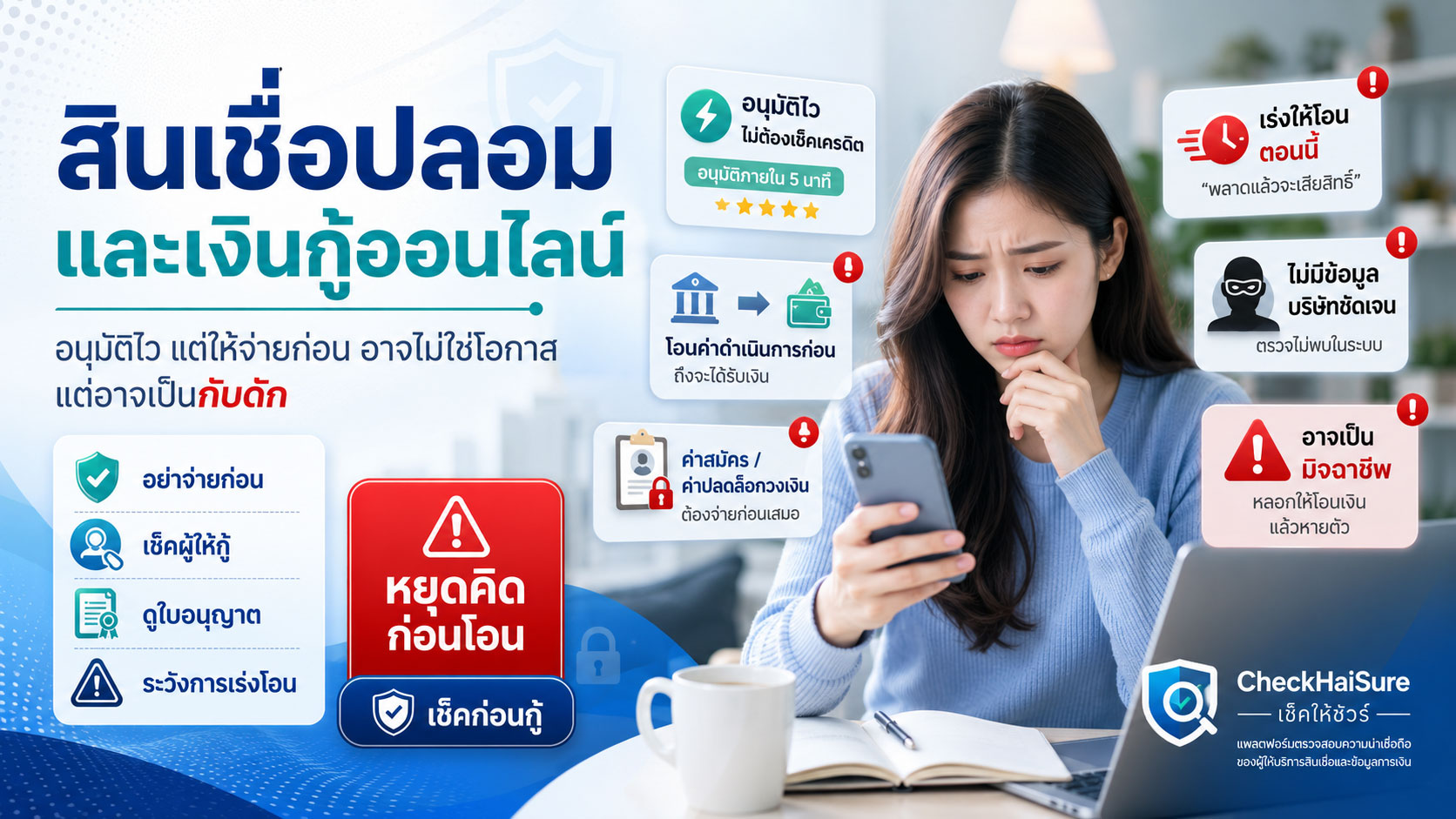
- อีกฝ่ายเร่งให้โอนทันทีหรือไม่
- มีช่องทางชำระเงินที่ปลอดภัยกว่านี้หรือไม่
หากยังไม่มั่นใจ ควรหยุดก่อน เพราะการหยุดตรวจสอบไม่กี่นาที อาจช่วยป้องกันความเสียหายได้มาก
9. ระวังการใช้ Wi-Fi สาธารณะกับบัญชีสำคัญ
Wi-Fi สาธารณะในร้านกาแฟ สนามบิน ห้าง หรือสถานที่ต่าง ๆ อาจสะดวก แต่ไม่ควรใช้ทำธุรกรรมสำคัญหากไม่มั่นใจในความปลอดภัย
ควรหลีกเลี่ยงการทำสิ่งเหล่านี้บนเครือข่ายที่ไม่น่าเชื่อถือ:
- เข้าแอปธนาคาร
- กรอกข้อมูลบัตรเครดิต
- เปลี่ยนรหัสผ่านบัญชีสำคัญ
- ส่งเอกสารส่วนตัว
- เข้าระบบบัญชีงานหรืออีเมลสำคัญ
หากจำเป็นต้องใช้งาน ควรใช้เครือข่ายมือถือของตนเอง หรือใช้มาตรการความปลอดภัยเพิ่มเติมตามความเหมาะสม
10. สอนคนในครอบครัวให้รู้ทันภัยออนไลน์
ความปลอดภัยดิจิทัลไม่ควรจำกัดอยู่แค่ตัวเรา เพราะมิจฉาชีพมักเลือกเข้าหาคนที่มีโอกาสเชื่อหรือกดดันได้ง่าย เช่น เด็ก ผู้สูงอายุ หรือคนที่ไม่คุ้นเคยกับเทคโนโลยีใหม่ ๆ
สิ่งที่ควรพูดคุยกับคนในครอบครัว เช่น
- อย่าให้ OTP กับใคร
- อย่ากดลิงก์จาก SMS แปลก ๆ
- อย่าโอนเงินเพราะมีคนโทรมากดดัน
- หากมีคนอ้างเป็นเจ้าหน้าที่ ให้โทรตรวจสอบจากช่องทางทางการเอง
- หากไม่แน่ใจ ให้ถามคนในครอบครัวก่อน
- หากเผลอกดหรือโอนไปแล้ว ให้รีบบอก ไม่ต้องอาย
การคุยกันในครอบครัวอย่างสม่ำเสมอ อาจช่วยให้คนที่เรารักปลอดภัยขึ้นได้มาก
สัญญาณเตือนที่ควรหยุดทันที
หากพบสถานการณ์เหล่านี้ ควรหยุดและตรวจสอบก่อนดำเนินการต่อ
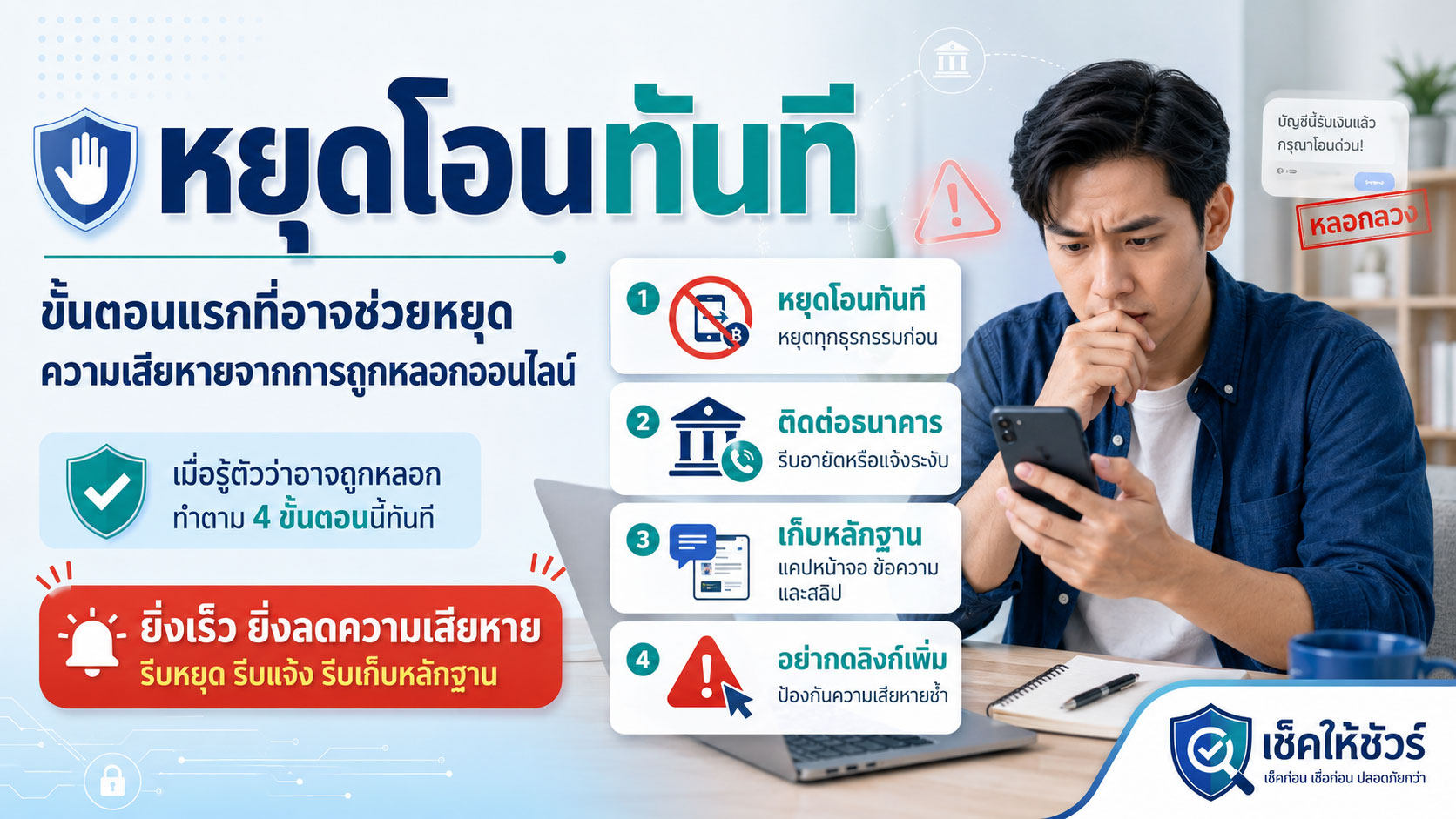
- มีคนเร่งให้โอนเงินทันที
- มีคนขอ OTP หรือรหัสผ่าน
- มีลิงก์ให้กรอกข้อมูลธนาคาร
- มีคนให้ติดตั้งแอปจากลิงก์
- มีการอ้างว่าเป็นเจ้าหน้าที่และห้ามวางสาย
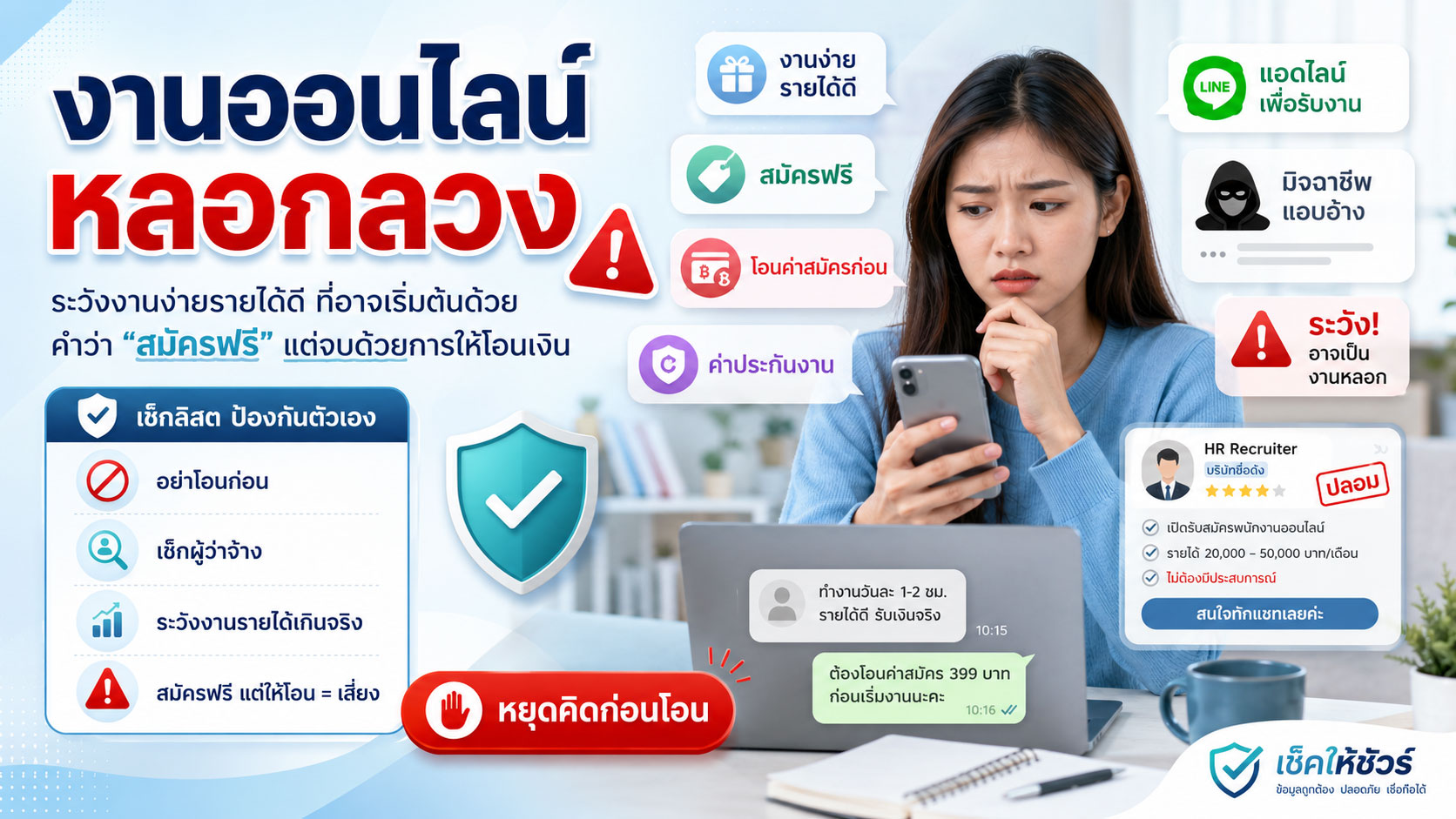
- มีข้อเสนอที่ดีเกินจริง
- มีการข่มขู่หรือทำให้กลัว
- มีการขอข้อมูลส่วนตัวจำนวนมาก
- มีการให้โอนเงินเข้าบัญชีบุคคลที่ไม่เกี่ยวข้อง
- มีคำอธิบายเปลี่ยนไปมาเมื่อถามรายละเอียด
หากยังไม่มั่นใจ อย่าฝืนทำต่อเพราะความเกรงใจ ความกลัว หรือความรีบ
ความปลอดภัยดิจิทัลคือภูมิคุ้มกันระยะยาว
ภัยออนไลน์เปลี่ยนรูปแบบอยู่เสมอ วันนี้อาจมาในรูปแบบ SMS ปลอม วันพรุ่งนี้อาจมาในรูปแบบเพจปลอม แอปปลอม การลงทุนปลอม หรือการแอบอ้างผ่าน AI และเทคโนโลยีใหม่ ๆ
เราอาจไม่สามารถจำกลโกงได้ทุกแบบ แต่เราสามารถฝึกพฤติกรรมพื้นฐานให้ปลอดภัยขึ้นได้ เช่น ไม่รีบเชื่อ ไม่รีบโอน ไม่กดลิงก์ทันที ไม่ให้รหัสลับกับใคร และตรวจสอบก่อนเสมอ
นี่คือ “ภูมิคุ้มกันทางความรู้” ที่ช่วยให้เราใช้ชีวิตในสังคมดิจิทัลได้อย่างมั่นใจมากขึ้น
ใช้เช็คให้ชัวร์เป็นหนึ่งในเครื่องมือช่วยตรวจสอบ
ก่อนตัดสินใจโอนเงิน กดลิงก์ ให้ข้อมูลส่วนตัว หรือเชื่อคำกล่าวอ้างจากช่องทางที่ไม่คุ้นเคย ท่านสามารถใช้เช็คให้ชัวร์เป็นหนึ่งในเครื่องมือช่วยตรวจสอบเบื้องต้น
ท่านสามารถค้นหาข้อมูลต้องสงสัย เช่น
- เบอร์โทรศัพท์
- เลขบัญชี
- ชื่อบัญชี
- ชื่อร้านค้า
- ชื่อเพจ
- LINE ID
- ลิงก์เว็บไซต์
- ข้อความต้องสงสัย
- รูปแบบการหลอกลวงที่พบเห็น
หากพบข้อมูลต้องสงสัยที่ยังไม่มีในระบบ ท่านสามารถแจ้งข้อมูลเข้ามาเพื่อช่วยให้ผู้อื่นระมัดระวังได้เช่นกัน
ตรวจสอบข้อมูลต้องสงสัย: ตรวจสอบข้อมูลต้องสงสัย
แจ้งข้อมูลต้องสงสัย: แจ้งข้อมูลต้องสงสัย
ข้อความสำคัญ
ข้อมูลในบทความนี้มีวัตถุประสงค์เพื่อการให้ความรู้และสร้างความตระหนักด้านความปลอดภัยดิจิทัลเบื้องต้นเท่านั้น ไม่ถือเป็นคำแนะนำทางกฎหมาย การเงิน หรือความปลอดภัยไซเบอร์เฉพาะกรณี
ผู้ใช้งานควรใช้วิจารณญาณ ตรวจสอบข้อมูลจากแหล่งทางการ และติดต่อธนาคารหรือหน่วยงานที่เกี่ยวข้องโดยเร็วที่สุด หากได้รับความเสียหายทางการเงินหรือพบเหตุอันควรสงสัยว่าเกี่ยวข้องกับอาชญากรรม
เช็คให้ชัวร์ — ก่อนเชื่อ ก่อนโอน ก่อนแชร์
Digital Safety Starts with the Small Habits We Practice Every Day
As our daily lives become more connected to smartphones, mobile banking apps, social media, email, fintech services, and online platforms, digital safety is no longer something distant or technical. It has become part of everyday life.
Many people may think that online threats only happen to people who are careless or unfamiliar with technology. In reality, modern scammers can design their methods to look more convincing, urgent, and trustworthy than ever before.
Sometimes, damage does not begin with a major decision. It may begin with a small action, such as clicking a link from an SMS that looks like it came from a bank, sharing an OTP with someone claiming to be an officer, using the same password across many accounts, or downloading an app from an unknown link.
CheckHaiSure would like to encourage everyone to start building digital safety from basic daily habits. Good protection does not always need to be complicated, but it needs to be practiced consistently and with awareness.
What Is Digital Safety?
Digital safety means protecting yourself, your personal information, online accounts, devices, and financial assets from risks that occur in the digital world.
These risks may appear in many forms, such as:
- Fraudulent money transfer requests
- Password theft
- Fake websites that trick users into entering information
- Phishing links sent through SMS or chat messages
- Impersonation of banks, government agencies, or trusted companies
- Fake apps or remote-control apps
- Social media account hijacking
- Misuse of personal information
- Fake investment schemes or risky transaction invitations
The goal of digital safety is not to make people afraid of technology. It is to help people use technology with more confidence, awareness, and caution.
Why Digital Safety Matters to Everyone
Today, many people in Thailand use smartphones as the center of their digital lives. We transfer money, receive payments, buy products, pay bills, contact family, work, study online, and register for services through mobile devices.
This means that if our online accounts or phones are accessed by someone with bad intentions, the damage may affect many areas at once, including money, personal data, reputation, and the safety of people around us.
For example, if a LINE or Facebook account is taken over, scammers may use that account to borrow money from friends or relatives. If a phone has a suspicious app installed, personal information or financial activity may be at risk. If we accidentally share an OTP, money may be transferred out before we realize what is happening.
Digital safety is therefore not only for experts. It is a basic life skill that everyone should have.
Small Habits That Can Make You Safer
Online safety can begin with small changes in daily behavior. You do not always need complicated tools to protect yourself.
1. Do Not Click Links Immediately After Receiving a Message
Fake links are one of the most common tools used by scammers because they can easily be sent through SMS, LINE, Facebook Messenger, email, or other chat platforms.
These messages often make people feel they must act quickly. They may claim that your account has been suspended, your parcel has a problem, you are eligible for a refund, your reward points are expiring, or unusual activity has been found in your account.
Before clicking a link, ask yourself:
- Did this message really come from an official channel?
- Does the link look correct?
- Why do I need to act immediately?
- Is it asking for personal information, a password, or an OTP?
- Can I open the official app or website myself instead?
A safer habit is to open the official app or website directly by yourself, rather than clicking a link sent by someone else.
2. Never Share Your OTP with Anyone
An OTP is a security code designed to protect your account. But if you give this code to someone else, that protection can disappear immediately.
No matter who contacts you, whether they claim to be bank staff, delivery company staff, a government officer, a page admin, or technical support, they should not ask for your OTP.
A simple rule to remember is:
Your OTP belongs to you. It is not information you should tell anyone.
If someone asks for your OTP, treat it as a serious warning sign and stop the conversation immediately.
3. Use Different Passwords for Important Accounts
Many people use the same password for several accounts because it is convenient and easy to remember. However, if one account is leaked, other accounts using the same password may also be at risk.
At minimum, you should use separate passwords for important accounts such as:
- Main email account
- Mobile banking
- Social media accounts
- Accounts linked to cards or payments
- Work or business accounts
A good password should be long enough, difficult to guess, and should not use personal information that others can easily predict, such as birthdays, phone numbers, nicknames, or simple repeated numbers.
If remembering many passwords is difficult, you may consider using a trusted password manager and setting up additional security properly.
4. Enable Two-Factor Authentication
Two-factor authentication adds another layer of protection to your account. Even if your password is leaked, someone else may still not be able to access your account without an additional verification step.
Accounts that should use two-factor authentication include:
- LINE
- Google Account
- Apple ID
- Work-related accounts
- Accounts related to finance or payments
However, even after enabling two-factor authentication, you should never share verification codes with anyone. You should also review logged-in devices from time to time.
5. Be Careful When Installing Apps from External Links
Fake apps or remote-control apps can be highly dangerous because they may allow someone else to access your screen, messages, notifications, or important information on your phone.
Avoid installing apps from links received through chat or SMS, especially if someone claims to be an officer and tells you to install the app to solve a problem, verify your identity, receive a refund, or unlock an account.
Before installing an app, check:
- Is it downloaded from the App Store or Google Play?
- Is the app developer trustworthy?
- Does the app request more permissions than necessary?
- Are there reviews or information that can be verified?
- Is someone pressuring you to install it while on a call or chat?
If you are not sure, do not install it.
6. Review App Permissions on Your Phone Regularly
Some apps may request access to more information or functions than necessary, such as contacts, messages, camera, microphone, location, or screen access.
You should review from time to time which apps have access to what information, and turn off permissions that are not necessary.
Be especially careful with permissions such as:
- Reading SMS or messages
- Accessibility access
- Screen control or display over other apps
- Access to contact lists
- Always-on location access
- Access to all files or photos
If you find an app you do not recognize or do not remember installing, check it carefully and remove it if it is not needed.
7. Do Not Share More Personal Information Than Necessary
Personal information can be misused for impersonation, fake account creation, unauthorized service registration, or scams involving other people.
Information that should be handled carefully includes:
- National ID number
- Photo of national ID card
- Date of birth
- Address
- Phone number
- Main email address
- Bank account information
- Photos of important documents
- Information about family members or close contacts
Before sending personal information to anyone, ask yourself: Is it truly necessary? Is the channel safe? Can the receiver be verified?
8. Always Check Before Transferring Money
Money transfer is often the point where risk becomes real damage. Before transferring money, do more than just look at product photos, promotions, or the seller’s words.
At minimum, check:
- Does the account name match the real shop or receiver?
- Has the bank account number been reported as suspicious before?
- What information appears when you search the phone number or shop name?
- Has the page existed for a long time or was it recently created?
- Is the price unusually cheap?
- Is the other party pressuring you to transfer immediately?
- Is there a safer payment option available?
If you are still unsure, pause first. A few minutes of checking may prevent serious damage.
9. Be Careful When Using Public Wi-Fi for Important Accounts
Public Wi-Fi in cafés, airports, shopping malls, or public places may be convenient, but it should not be used for important transactions if you are unsure about its safety.
Avoid doing the following on networks you do not trust:
- Opening mobile banking apps
- Entering credit card information
- Changing important account passwords
- Sending personal documents
- Logging into work accounts or important email accounts
If you need to access sensitive services, using your own mobile network may be safer. Additional security measures may also be considered where appropriate.
10. Teach Family Members About Online Threats
Digital safety should not stop with ourselves. Scammers often target people who may be easier to pressure or convince, such as children, elderly people, or those who are less familiar with new technology.
Topics worth discussing with family members include:
- Do not share OTPs with anyone
- Do not click strange SMS links
- Do not transfer money because someone pressures you by phone
- If someone claims to be an officer, contact the official channel yourself
- If unsure, ask someone in the family first
- If you already clicked or transferred money, tell someone quickly and do not feel ashamed
Regular family conversations can help protect the people we care about.
Warning Signs That Should Make You Stop Immediately
If you encounter any of the following situations, stop and verify before continuing:
- Someone pressures you to transfer money immediately
- Someone asks for your OTP or password
- You receive a link asking for banking information
- Someone asks you to install an app from a link
- Someone claims to be an officer and tells you not to hang up
- The offer sounds too good to be true
- You are threatened or made to feel afraid
- You are asked for too much personal information
- You are asked to transfer money to an unrelated personal account
- The explanation keeps changing when you ask for details
If you are not fully confident, do not continue simply because of politeness, fear, or urgency.
Digital Safety Is Long-Term Knowledge-Based Immunity
Online threats continue to change. Today, they may appear as fake SMS messages. Tomorrow, they may appear as fake pages, fake apps, fake investments, or impersonation using AI and new technologies.
We may not be able to memorize every scam method, but we can build safer basic habits: do not trust too quickly, do not transfer too quickly, do not click links immediately, do not share secret codes, and always check first.
This is the kind of knowledge-based immunity that helps us live more confidently in the digital society.
Use CheckHaiSure as One Tool to Help You Check
Before transferring money, clicking links, sharing personal information, or trusting claims from unfamiliar channels, you can use CheckHaiSure as one of your preliminary checking tools.
You may search for suspicious information such as:
- Phone numbers
- Bank account numbers
- Account names
- Shop names
- Page names
- LINE IDs
- Website links
- Suspicious messages
- Scam patterns you have encountered
If you find suspicious information that is not yet in the system, you may also submit it to help others stay cautious.
Check suspicious information: Check suspicious information
Report suspicious information: Report suspicious information
Important Notice
The information in this article is intended for general education and awareness about basic digital safety only. It is not legal, financial, or case-specific cybersecurity advice.
Users should exercise their own judgment, verify information with official sources, and contact their bank or relevant authorities as soon as possible if financial damage has occurred or if there is reasonable suspicion of criminal activity.
CheckHaiSure — Check before you trust, transfer, or share.
Leave a Reply
You must be logged in to post a comment.